Facebook's New Privacy Shortcuts for easy access
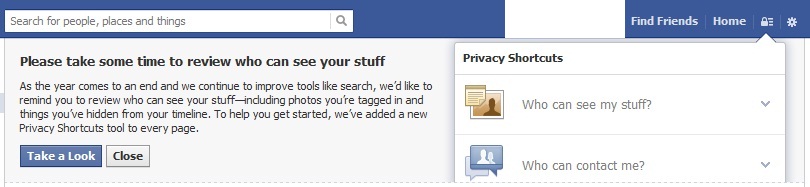
Facebook now has a “Privacy Shortcut” button on top right corner, where your username and logout button is available. So to modify privacy settings, you don’t need to keep clicking to reach to your destination.
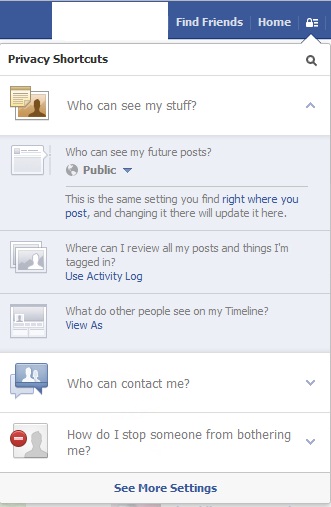
So from this menu, you can control all your privacy settings.
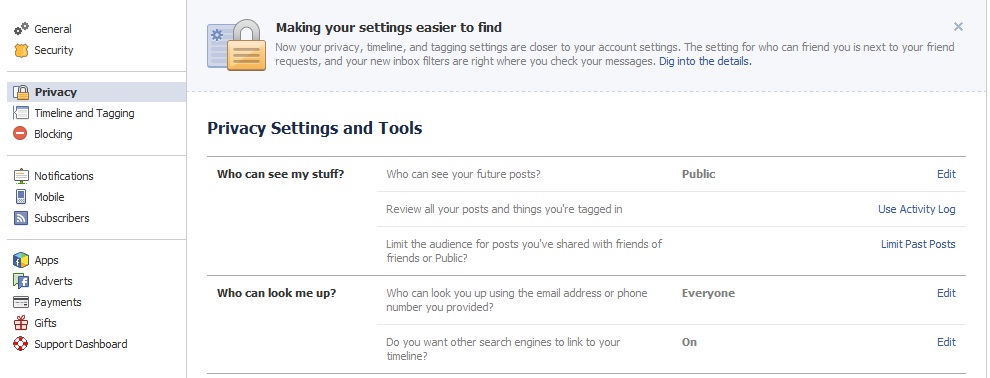
And at the bottom of this popup there is a link to see all settings.
Just login to your facebook and navigate through different options, now privacy control is much simpler.
There are some more options while sharing post, photos. Those options you will find right below sharing box.
Make use of these settings and tell your friends also about it.
GPT 5.4: The Next-Generation AI Model Transforming Reasoning, Coding, and Productivity Artificial Intelligence is evolving…
GPT-5.3 Instant is OpenAI's latest ChatGPT model update, prioritizing smoother conversations, fewer refusals, and higher…
Are you tired of scrolling endlessly through Google results trying to find clear, trustworthy answers?…
In recent years, the process of software development has rapidly evolved—developers demand smarter tools and…
India has emerged as one of the fastest-growing and most significant markets in the global…
On October 6, 2025, OpenAI unveiled AgentKit, a unified suite of tools designed to help developers and…
This website uses cookies.