AI

Google Chrome’s Built-in AI APIs: The Future of On-Device AI for Web Developers

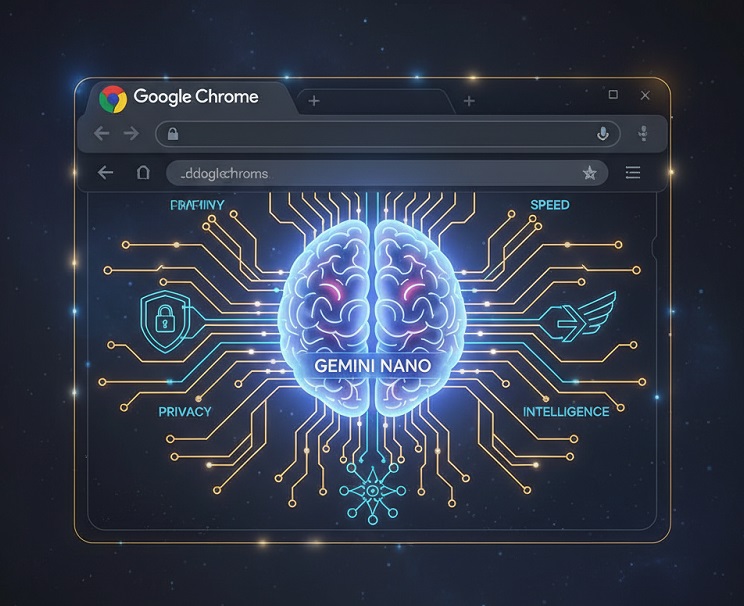
By integrating AI right into the browser, Google Chrome is making a daring advancement. Chrome’s built-in AI APIs let developers execute AI-powered applications locally on a user’s device. This development is a component of Google’s larger initiative with Gemini Nano AI models, which aims to move away from cloud dependence and toward more developer-friendly, high-performance, and private AI experiences.

These on-device capabilities, in contrast to conventional cloud-based APIs, usher in a new era of faster, more secure, and simpler privacy-first AI applications. We’ll look at the features that make Chrome’s AI APIs revolutionary, the APIs that are currently accessible, and how developers can get started.

What is Chrome’s Built-In AI?

Chrome’s built-in AI refers to the seamless integration of AI models and web platform APIs directly into the browser. This means that web applications can execute AI-powered tasks locally—without depending on cloud-based processing.

Instead of repeatedly sending user data to external servers, Chrome manages AI models itself. It downloads, stores, and updates these models automatically while utilizing device hardware accelerators such as GPUs, NPUs, or CPUs for optimized performance. This shift places AI inference closer to the user, redefining how AI is delivered on the web.

In short, built-in AI eliminates the need for constant server calls, reduces infrastructure complexity for developers, and unlocks efficient, privacy-friendly AI functionality within the browser.


Why On-Device AI Matters

The central benefit of Chrome’s on-device AI is its ability to perform inference locally rather than sending data back and forth to servers. This approach comes with several crucial advantages:

  • Enhanced Privacy: Since data stays on the user’s device, sensitive information never leaves the browser environment, protecting personal details and boosting security.
  • Lightning-Fast Performance: By skipping the server round-trip, users experience snappier responses and near-instant results. Chrome’s AI runtime also taps into hardware acceleration (CPU, GPU, NPU) to maximize speed.
  • Simplified Developer Workflow: No need to deploy or maintain your own AI infrastructure. Chrome automatically manages downloading, updating, and distributing AI models.
  • Reduced Overhead: Many APIs don’t require external API calls, authentication keys, or third-party libraries—streamlining development.

Key Chrome AI APIs and Features

Google has been rolling out several APIs, with stable releases in Chrome 138/139 and additional APIs in experimental stages.

  • Summarizer API: Automatically generates concise summaries, TL;DR versions, or key highlights from long-form content.
  • Language Detector API: Instantly identifies the language of the given text—perfect for multilingual apps and websites.
  • Translator API: Offers real-time translations of dynamic or user-generated content, breaking down language barriers.
  • Prompt API: Powered by Gemini Nano, this versatile API enables free-form prompting. It supports text, images, and audio inputs (currently in Early Preview Program).
  • Writer & Rewriter APIs: Assist with content generation and rewriting, helping users refine or restructure content seamlessly.
  • Proofreader API: Improves grammar, readability, and clarity. Currently behind experimental flags.

Requirements for Developers

Before integrating Chrome’s Built-in AI APIs, developers should consider the following:

  • Platform Availability: Currently works on Windows 10/11, macOS 13+, Linux, and Chromebook Plus devices.
  • Chrome Version: Requires Chrome 138 or newer.
  • Hardware Needs: Some APIs require significant free disk space (about 22 GB) and VRAM (4+ GB) for downloading and running AI models locally.
  • Experimental Features: Some APIs require enabling browser flags via chrome://flags/#enable-ai-features.
  • Model Download: The AI models are fetched locally upon the first interaction and stored within the browser environment.

Real-World Use Cases

The possibilities with built-in AI in Chrome are vast and span multiple industries:

  • Productivity Tools: Extensions that can instantly summarize research papers, documentations, or news articles.
  • Multilingual Applications: Real-time language detection and translation inside text editors, email clients, and chat apps.
  • Education Platforms: AI-driven tools that rewrite explanations, proofread content, or generate learning summaries.
  • Developer Utilities: Browser-side code explanation, bug analysis, or documentation helpers.
  • Accessibility Features: AI summarization and translation for screen readers and assistive applications.

How to Get Involved

Google is actively expanding the program and looking for developer feedback. Here’s how you can engage:

  • Join the Early Preview Program (EPP): Gain access to experimental APIs before public release.
  • Participate in Origin Trials: Test APIs in real-world environments and provide feedback.
  • Built-in AI Challenge 2025: A developer competition showcasing innovative applications built with Chrome AI APIs.

Final Thoughts

Google Chrome’s move to integrate on-device AI APIs is a major technological leap. By combining privacy, speed, and developer-friendly tools, Chrome is setting the stage for the next era of web innovation. As these APIs mature, developers will be able to create smarter, faster, and more user-centric web experiences—all powered locally, without constant reliance on cloud-based infrastructure.

ProWebGuru

Mostly I write about technology related stuff on https://www.prowebguru.com Recently I have started making videos also. Mostly blog posts & videos are related to technology, programming and learning some new tips and tricks related to windows, wordpress, google app script, technical, programming, javascript, jquery and other coding related stuff. Youtube channel - https://www.youtube.com/user/prowebguru

Recent Posts

GPT 5.4: Powerful AI Breakthrough – 7 Game-Changing Features, Launch Date & Full Guide

GPT 5.4: The Next-Generation AI Model Transforming Reasoning, Coding, and Productivity Artificial Intelligence is evolving…

1 day ago

GPT‑5.3 Instant Explained: Faster, Smarter & Fewer Refusals

GPT-5.3 Instant is OpenAI's latest ChatGPT model update, prioritizing smoother conversations, fewer refusals, and higher…

2 days ago

Free Perplexity Pro for Airtel Customers: Unlock Advanced AI Assistance at No Cost!

Are you tired of scrolling endlessly through Google results trying to find clear, trustworthy answers?…

4 months ago

Unlocking Collaborative Coding with GitHub Copilot Spaces

In recent years, the process of software development has rapidly evolved—developers demand smarter tools and…

4 months ago

ChatGPT Go Now Free in India: Opening Doors to Advanced AI Capabilities

India has emerged as one of the fastest-growing and most significant markets in the global…

4 months ago

AgentKit by OpenAI: Redefining the Future of AI Agent Development

On October 6, 2025, OpenAI unveiled AgentKit, a unified suite of tools designed to help developers and…

5 months ago

This website uses cookies.